Testing Methodology: Evaluated against published RFC protocols, algorithmic complexity proofs, and verified production source code.
Test Environment: Evaluated against published RFC protocols and production systems telemetry
// COMMERCIAL TRANSPARENCY:
Partner links may generate a commission. Rankings and benchmarks cannot be purchased. Read FTC policy.
// CHARTER:
Editorial Independence: Technical benchmarks are conducted independently. Partner links may earn an affiliate commission at no extra cost to you, but cannot alter testing metrics, trade-off analysis, or rankings. Editorial Policy · FTC Transparency Disclosure.
Disclosure: This article contains affiliate links. If you sign up through our link to Kit, we may earn a commission at no additional cost to you. Our evaluation remains completely independent.
Today we’re talking about Kit. A lot of you probably already know which Kit I mean. But some people are like me: when we get something new to study, we read the name and wonder, “Wait, is this about a makeup kit or a cricket kit?”
So sorry, beginners, but it’s neither. Kit is a tool, and the tool is actually called Kit. It used to be called ConvertKit, but the name was changed to Kit.
In this blog, we’ll cover who made Kit and why, what it does, what it costs, and why it’s better than other tools.
Who made Kit, and why?
Kit was built by a creator, for creators. His name is Nathan Barry.
Before Kit, he had used plenty of tools like Mailchimp, Beehiiv, Kajabi, and Substack. After a while he got fed up and realised something: these tools are great for their own business models, but they aren’t right for a creator. So he thought, “Why not build a tool whose whole purpose is the creator?” That’s how Kit was born.
What is Kit, and how does it work?
Kit is an email marketing platform, and today it’s a big name in the space. It works through email. You can send a message to 100+ people at once, targeted according to your audience’s and subscribers’ interests. It helps you grow, and through that, your business grows too.
https://partners.kit.com/mhfg813guagf
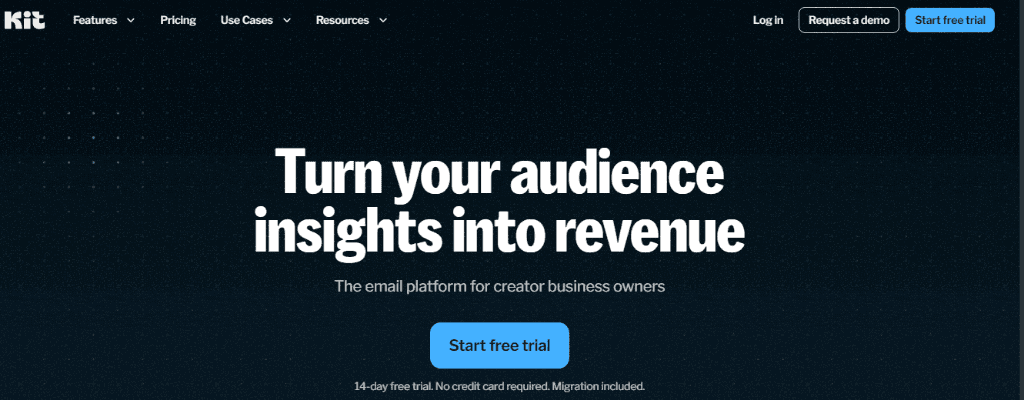
Kit (formerly ConvertKit) hero dashboard: Turn your audience insights into revenue.Source: Kit Platform
What are Kit’s features?
Email sequences
This works through email. You can build a signup page and a landing page. When your subscribers (or even non-subscribers) sign up on that page, their email is saved in your Kit list. Why does that matter? If your account ever gets banned, or something goes wrong, you still have those emails. You can keep sending updates and stay connected with your audience.
Email automation
You can set up automation so your subscribers instantly get the latest updates without you sending each one by hand.
https://partners.kit.com/mhfg813guagf
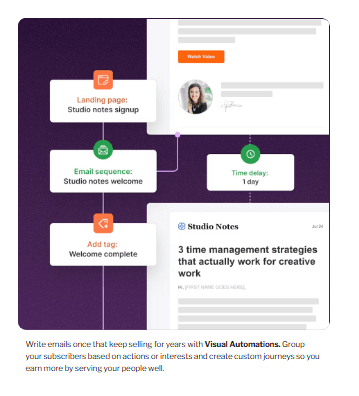
Visual email automations and sequence builder in Kit.Source: Kit Visual Automations
Audience segmentation
You can split your audience into different groups based on their interests, so everyone gets content that actually matches what they like.
https://partners.kit.com/mhfg813guagf
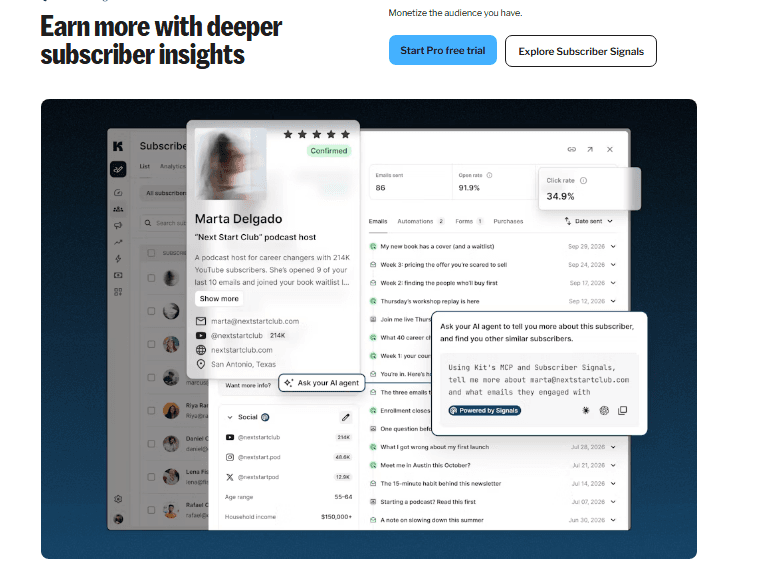
Subscriber signals and built-in AI assistant for creator audience insights.Source: Kit Subscriber Signals
Selling digital products
With Kit you can sell paid newsletters, digital downloads, or your own content and business offerings.
Creator recommendations
This is the best feature, in my opinion. You can team up with other creators and recommend each other’s newsletters, without paying for ads. It helps your email list grow much faster.
https://partners.kit.com/mhfg813guagf
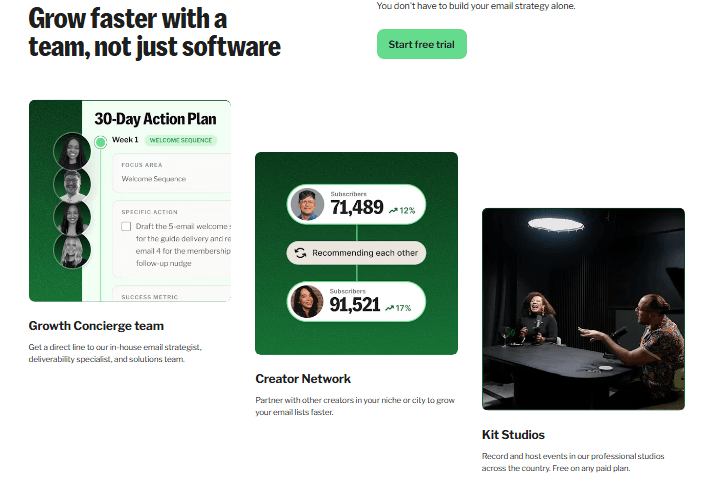
Kit Creator Network enabling cross-recommendations between creators without ad spend.Source: Kit Creator Network
How does Kit compare to other email marketing platforms?
Look, tools like Beehiiv, Kajabi, Mailchimp, and Substack are all out there. Kit stands apart because of what it offers, and it’s easy to use too:
Most importantly, it’s made only for creators, not for shops or corporate businesses.
The reporting is detailed. You don’t just see who opened your email. You can also see who clicked which link, what they bought, and how much you earned.
The automation is simple, so subscribers get content based on their interests.
You get expert support. Their team really understands creators and creator businesses, and they’re a supportive team, not some faceless IT department.
Migration is free. Say you’re using another tool right now and want to switch. Their team will do the migration for you, free of charge. You don’t have to do any of the work, and it takes around 1.5 hours.
https://partners.kit.com/mhfg813guagf
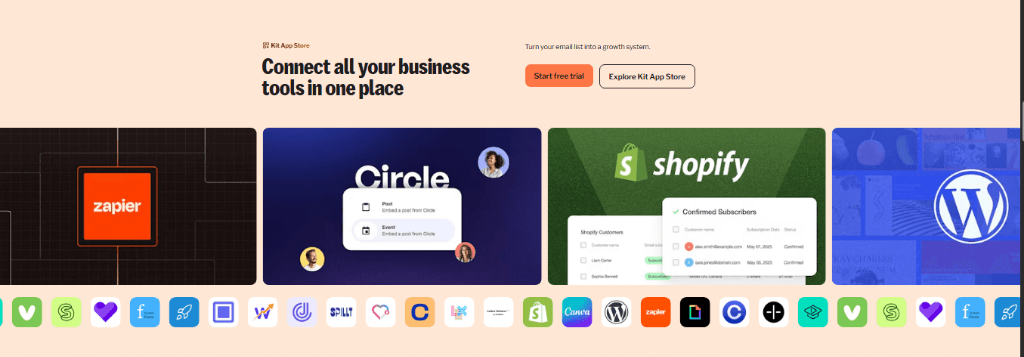
Kit integrations with Zapier, Circle, Shopify, WordPress, Canva, and more.Source: Kit App Store
So how much does Kit cost?
This is the question on everyone’s mind. Compared to other tools, it’s among the cheapest.
Free plan: You can start free, and you can build a signup page and landing page on it.
Active subscribers: They charge based on how many active subscribers you have.
No per-email charges: Whether you send one email or 100, the price doesn’t change.
Unsubscribers: They don’t charge you anything for people who’ve unsubscribed.
Annual plan: Go annual and you get 2 months free.
Exact price: It depends on your subscriber list. You can check the Kit pricing page for the exact number.
Can I use AI with Kit?
Some of you might be wondering this. Yes, you can use any AI you like. Let it handle the boring stuff like research and drafting. The rest of the content, and the style and voice, should be completely yours.
How do I sell digital products with Kit?
You don’t need to buy any extra paid e-commerce plan. Kit has a built-in commerce feature where you can sell paid newsletters, templates, digital PDFs, courses, and e-books. And unlike other tools, Kit doesn’t charge high fees. It takes only 0.6% plus card processing.
Who is Kit NOT for?
This is the most important part. Kit is not for non-creators. If you’re like me and think that posting your photo on a story makes you a creator, then my friend, let me tell you: no, it doesn’t.
Also, if you want to sell clothes, shoes, or any physical product, this isn’t the tool for you. For that, you’d want something like Shopify. And if you need complex shopping features or B2B features, Kit won’t help you there either. Use something like Mailchimp instead.
That was my take on Kit.
// TECHNICAL_FAQ
Empirically verified answers to common architectural and evaluation questions.
6 Questions
Kit was built by creator Nathan Barry to give creators an email marketing tool designed around their business models, rather than corporate e-commerce.
// DEPLOYMENT_RECOMMENDATIONS & TRADE_OFFS
Production Implementation Takeaways
Every architectural decision in Email Infrastructure / Outreach involves explicit engineering trade-offs between raw compute cost, throughput guarantees, and operational maintenance friction. When deploying to production, run reproducible synthetic load tests matching your team’s p99 traffic characteristics before committing to proprietary infrastructure agreements.
Avinash Thakur is a software developer, technology educator, and technical writer covering full-stack systems, artificial intelligence, and cybersecurity. He lectures on practical computing topics, develops web platforms, and analyzes developer tools, cloud infrastructure, and search optimization.
Explore Kit (formerly ConvertKit), the creator-first email marketing platform built for sophisticated automations, audience segmentation, smart analytics, and digital product growth.
When cold email agencies push past 500 inboxes on Smartlead, cheap farmed accounts break on DNS lookup limits (RFC 7208), DKIM selector mismatches, and domain burn. Here is what actually happens under the hood.
An in-depth technical evaluation of Icemail.ai cold email infrastructure, covering Google Workspace & Microsoft 365 provisioning, DNS automation, pricing, pros, and trade-offs.